SUPPORT GUIDE
Step-by-step guide to updating your program compliance requirement
Updated: February 10, 2026

Overview
Administrators and designated legal and compliance contacts can take the following steps to track their company’s compliance status and complete the Adobe Business Compliance Training & Questionnaire (BCTQ).
-
Log into the Partner Experience Hub.

-
Navigate to the Company profile section under Manage Profile and access the company information tab.

-
Scroll to the Key documents section and review the Adobe Digital Experience Partner Compliance Requirement fields. If the compliance status is expired or not started, the BCTQ needs to be completed.
-
Authorized contacts for your company will see a button labeled Complete the Adobe Business Compliance Training & Questionnaire. Click the button if visible.

-
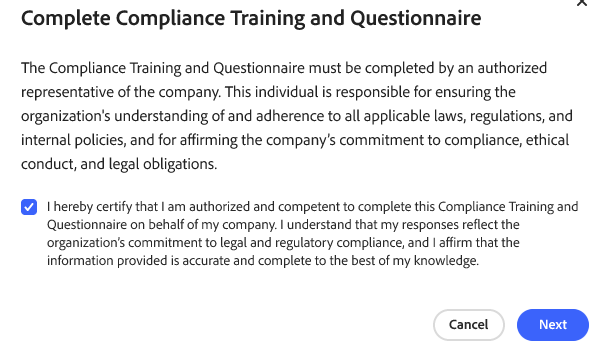
Self-attest that you are an authorized individual and click Next.
-
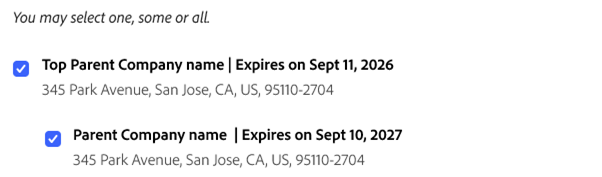
If your company includes subsidiaries, you will see a list of entities that can be covered under the same compliance questionnaire. Select which entities should be included.
Please allow up to 14 business days for Adobe Compliance to confirm completion and full program access to be restored.
Tip: Take a moment to make a note about your next compliance update deadline in your calendar, as the BCTQ must be re-submitted every two years.