
Drive customer success with partner integrations
Extend the value of clients’ Adobe Experience Cloud, Creative Cloud, and Document Cloud solutions with validated, tested integrations. Show clients how they can accomplish their goals through ready-for-use application extensions from top Adobe partners.
Drive customer success with partner integrations
Extend the value of clients’ Adobe Experience Cloud, Creative Cloud, and Document Cloud solutions with validated, tested integrations. Show clients how they can accomplish their goals through ready-for-use application extensions from top Adobe partners.
Build your own application extension
Have an idea for your own application extension? We’re here to support you every step of the way, from getting your hands on a sandbox and all the way to launching it to customers.
- Learn how to set up your own sandbox environment to develop and test your extension
- Promote the extension by creating your listing on the Adobe Exchange Marketplace
- Validate your technology through the App Assurance Program to demonstrate that you meet the highest level of Adobe quality

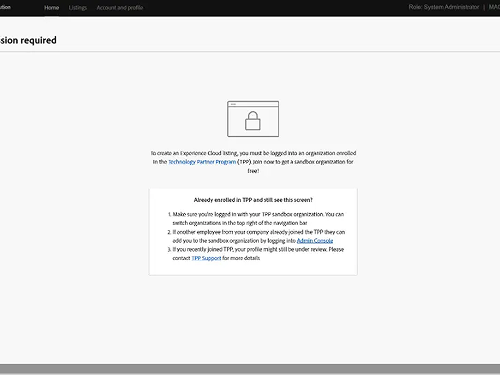
Need help accessing Adobe Developer Distribution?
In order to create a server-to-server integration listing for Adobe products, the developer must have a sandbox Enterprise org associated with their Adobe login. All partner program members get a sandbox enterprise org assigned upon approved registration. Attempting to create an integration listing without joining the program will result in an access denied message. If you encounter this screen, check with your sandbox admin for guidance.
Now offering technical integration accreditation for developers
Gain expertise in integrating and extending Adobe Experience Cloud solutions for customers. For anyone who wants to get familiar with Adobe’s developer tools, such as features, frameworks, APIs, and resources, to plan, build, test, and publish integrations.

Explore existing application integrations
Your clients expect more from their Adobe solutions. Help them achieve better results in less time by finding application extensions that will customize their solution and integrate with the rest of their technical environment, without needing to invest the time and effort to develop it themselves. Visit the Exchange Marketplace to see what your peers have created.
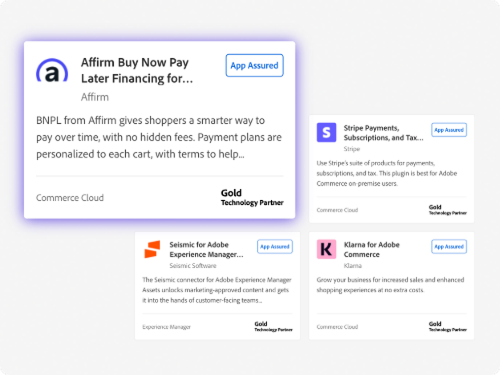




Submit your technical integration solution now.
- Applications
- sign
- advertising-cloud
- analytics
- audience-manager
- campaign
- commerce
- customer-journey-analytics
- document-cloud
- document-services
- experience-cloud
- experience-manager
- experience-platform
- journey-optimizer
- marketo-engage
- microsoft
- real-time-cdp
- target
- workfront
- audience
- marketing
- sales
- practice-lead
- technical
- newest_default
- oldest
- caas:adobe-partners/collections/news/never-expires
- caas:adobe-partners/spp
- caas:adobe-partners/collections/news
- industry/retail
- caas:adobe-partners/collections/knowledge-base
- caas:content-type/report